
Quick Answer: By creating a demo video using a human presenter you can increase engagement. These videos combine product clarity with human connection, making your software feel easier to understand and more trustworthy.

Software demo videos are a great way to explain your product. But if executed badly they can sometimes feel too technical and miss the human element. In other words, they might lack clarity and relatability. By using a real person as a presenter you can solve this problem and make your videos more engaging to watch.
In this article we explain some of the reasons why a presenter-led demo works and provide some tips and details to help you with your own project.
Table of contents
Why presenter-led demo walkthroughs work
Presenter-led videos solve both sides of the problem – clarity and relatability.
- They make your product easier to understand: A presenter explains what’s happening, why it matters, and what to focus on. This removes guesswork for the viewer.
- They add a human layer of trust: Seeing a real person builds credibility. It feels closer to a real demo or sales conversation.
- They keep viewers engaged for longer: Faces and voices naturally hold attention, helping viewers stay focused through the full walkthrough.
- They drive action: When viewers understand your product and trust it, they’re far more likely to take the next step, whether that’s booking a demo or reaching out.
These factors together can ultimately lead to better sales and retention for your products.
When NOT to use a Presenter
There are a few practical considerations that might make it better not to use a presenter.
The videos are harder to edit –
When using a presenter it can be harder to make edits to the content because it involves re-recording. This can affect the production process (during revision rounds) and can also affect things later if you plan to make changes to the video. Therefore, if your content is highly scripted or curated then it can be easier to avoid using a presenter altogether and rather work purely in animation with a voiceover artist.
The process is slightly less scalable –
If you’re making a lot of videos, e.g. 20+, then it can be easier to use animation with a voiceover artist rather than using a presenter. This isn’t a huge factor – because you can still achieve scale – but worth keeping in mind.
Consistency can become a problem –
If you’re making many videos over a long period of time then you should think about consistency. What happens if your presenter is no longer available in a year or two when you want to make more videos? Will it be undesireable to use someone else or won’t that really matter to you?

How to achieve success with your presenter-led demo
To get the most out of this format, focus on the fundamentals:
1. Start with the outcome
What should the viewer do after watching?
- Book a demo
- Understand a feature
- Trust your product
Everything should support that goal.
2. Keep it focused
Avoid trying to show everything. Instead:
- Highlight key features
- Focus on outcomes
- Keep the flow simple
3. Balance presenter and product
The presenter should guide the experience, not compete with the product.
4. Plan for scalability
Think about how this video can be reused across:
- Landing pages
- Paid ads
- Social content
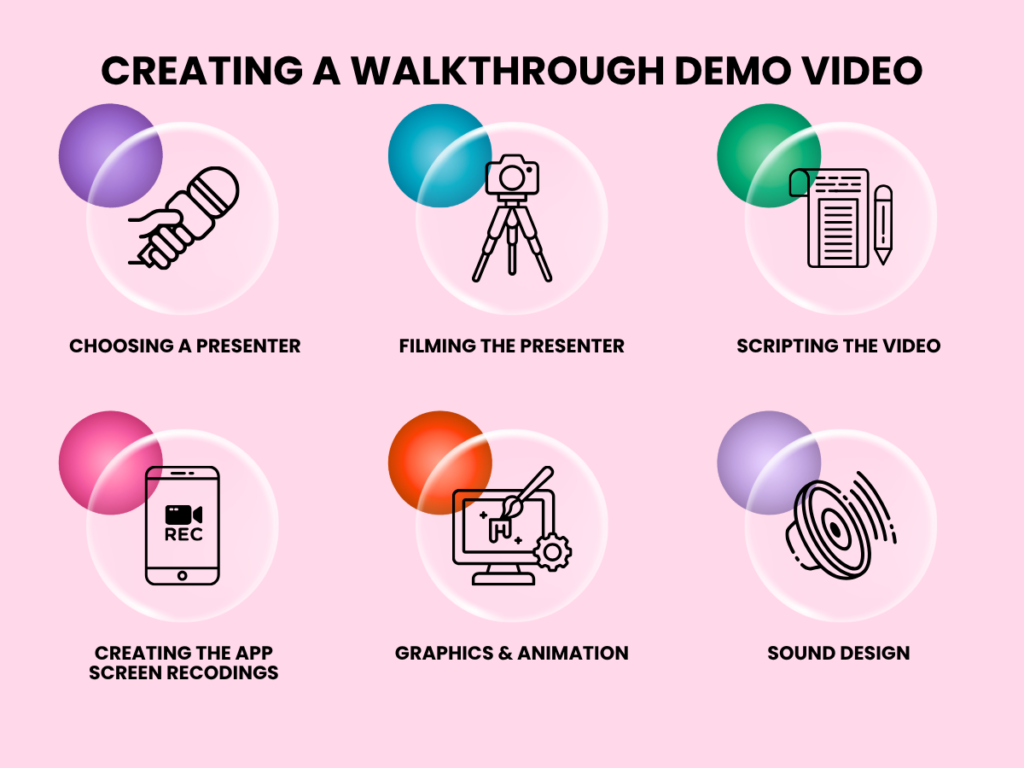
Creating a walkthrough demo video
Choosing a Presenter
You’ll need to decide if you want to use professional acting talent or someone from your own team. A professional person is likely to be more engaging but an internal employee may come across as more knowledgeable. Don’t ignore the time commitment involved if you use an internal employee.
It’s generally easy to hire a presenter if you’re looking to do a simple job – many low cost options are available online, each with their own home studios. If you’re looking for a higher-end product then it calls for a more complicated casting process but nothing a good production studio can’t handle.
Filming the Presenter
Again, there are a few ways to do this. Fortunately, with demo videos you won’t usually want to be too complicated about it – a simple, natural feel is usually just fine – and so a basic shoot in a home studio or with a simple filming setup will usually be the best option. But if you do want to go all-out then it’s best to film in a studio or professional location and in that case there are also factors like set design, wardrobe etc depending on the requirements of the script.
Scripting the Video
An experienced studio will assist you. If your video is a simple demo, showing mainly the software screens then things are easier but if your video is closer to an explainer-style video, e.g. explaining product benefits, then the script may need to include the graphics and animation.
Creating the App Screen Recordings
Usually these are simple screen recordings. There are a few tricks, e.g. it can be helpful to record without a cursor showing, so that an animator can add a manual cursor later. That way you can have smoother motion (avoiding any fidgety hand movements), a bigger cursor and the animator has control of the timing if piecing lots of clips together. Also if your video is more advanced then the animator might re-create the screens in the animation software so as to
Graphics & Animation
Most of the time there’s no need for too much graphics or animation, though it’s certainly possible to do. Your priority is usually to create a visually pleasing style that aids the explanation. Nevertheless, at a minimum you’ll still want to design a nice intro section and a good typography frame or two for when you want to display information.
Sound Design
As we’re using the presenter’s voice (and not a voiceover) it’s important to capture the audio effectively. Also it may need a bit of cleanup in the sound studio as well as mixing with music and sound effects. The overall audio design will also be influenced by your brand and goals.
FAQ’s
Yes, if executed well, a presenter style video introduces a human element that helps guide attention, improve understanding, and keep viewers watching longer.
Typically 60 – 120 seconds for marketing use, with longer versions for deeper walkthroughs.
No. You can use them strategically to guide and explain, while keeping the product as the focus.
Not necessarily but it depends on the overall sophistication of the project.
Yes. It can feel more authentic, but requires preparation and time.
Consider a hybrid approach that uses a presenter for high-level messaging and flexible visuals for product details.
Final thought
If your demo videos aren’t engaging your audience, the issue might be your format. Presenter-led walkthroughs bring together clarity and human connection, the two things that turn attention into action.